Bikepacking GPX route planner
Plan a bikepacking trip from GPX files.
A GPX file is a line, not an itinerary. Import the route you trust into a named stage, keep each overnight boundary explicit, and save the whole journey in one account before sending the day’s route to your navigation device.
- Import track or route points
- One route per riding day
- Keep the source visible
The direct answer
Can one GPX be split automatically?
Not currently—and it does not pretend equal-distance cuts are a finished itinerary. Decide the real overnight places first. If your source is one long GPX, cut or export the daily files in your route tool, then import each file into its Bikepacking Live stage. You can also generate or draw a stage directly in the app.
- Start with the stop, not the kilometre.A campsite, train station, town, or resupply point should justify the cut.
- Keep one clean file per day.Shorter daily routes are easier to recognise and manage on a bike computer.
- Keep the whole trip above the files.The journey page preserves sequence, context, and totals across every stage.
Real route-file example
One GPX route for one riding day.
The Hetzner bicycle router generated this 59.4 km line. In a real workflow, it can be imported as the route for a named stage, with the date and notes living beside it instead of inside a downloads folder.
Bikepacking Live answers the organisation problem around GPX: which trip this route belongs to, which day it is for, and what followers should see later. Create an account to save that structure.
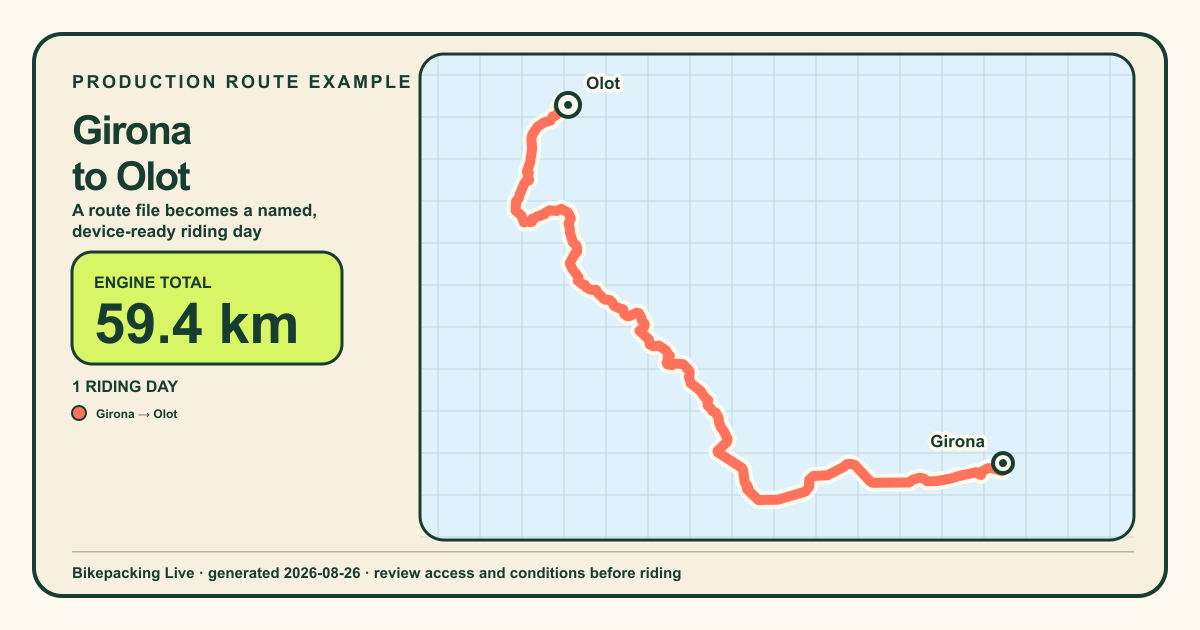 GENERATED 2026-08-26
- Girona → Olot59.4 km · 3h 54m
Generated with the same production bicycle router used by Bikepacking Live. Always verify current access, surfaces, closures, weather, and local conditions before riding.
A route-file workflow that survives the trip
Turn a GPX into clear riding days.
- 01Inspect the source
Check its date, direction, access assumptions, surface, and whether it is a recorded track or a proposed route.
- 02Choose meaningful stage ends
Use sleep, water, food, transport, terrain, and daylight—not a blind 60 km interval.
- 03Create the trip and sign in
Your first draft starts immediately. Email sign-in saves the journey to your account and lets you keep building it.
- 04Import each daily route
Name the stage by place, verify the endpoints on the map, and keep a navigation copy on your chosen device.
GPX planning questions
Keep context with every GPX.
Does Bikepacking Live import GPX tracks?
Yes. A stage can import GPX track points or route points, calculate the line’s distance, and show it on the planning map.
Can I use GPX files from Komoot, Ride with GPS, Strava, or a race organiser?
Standard GPX track or route points are the important part. Export formats vary, so inspect the imported line and endpoints before relying on it.
Does importing a GPX make it safe or rideable?
No. A file can be old, reversed, private, closed, or unsuitable for your bike. Verify access and current conditions with authoritative local sources.
Do I need an account?
You can name the first trip before signing in. An email account is required to save it, build stages, and access it across sessions.
Give the GPX a home
Keep every GPX in one trip.
Create your free account, organise the daily stages, and keep live sharing private until the trip actually begins.